
Doc2Row
Custom solutions for turning documents into spreadsheets.
Built for medical and research environments, where data privacy is critical.
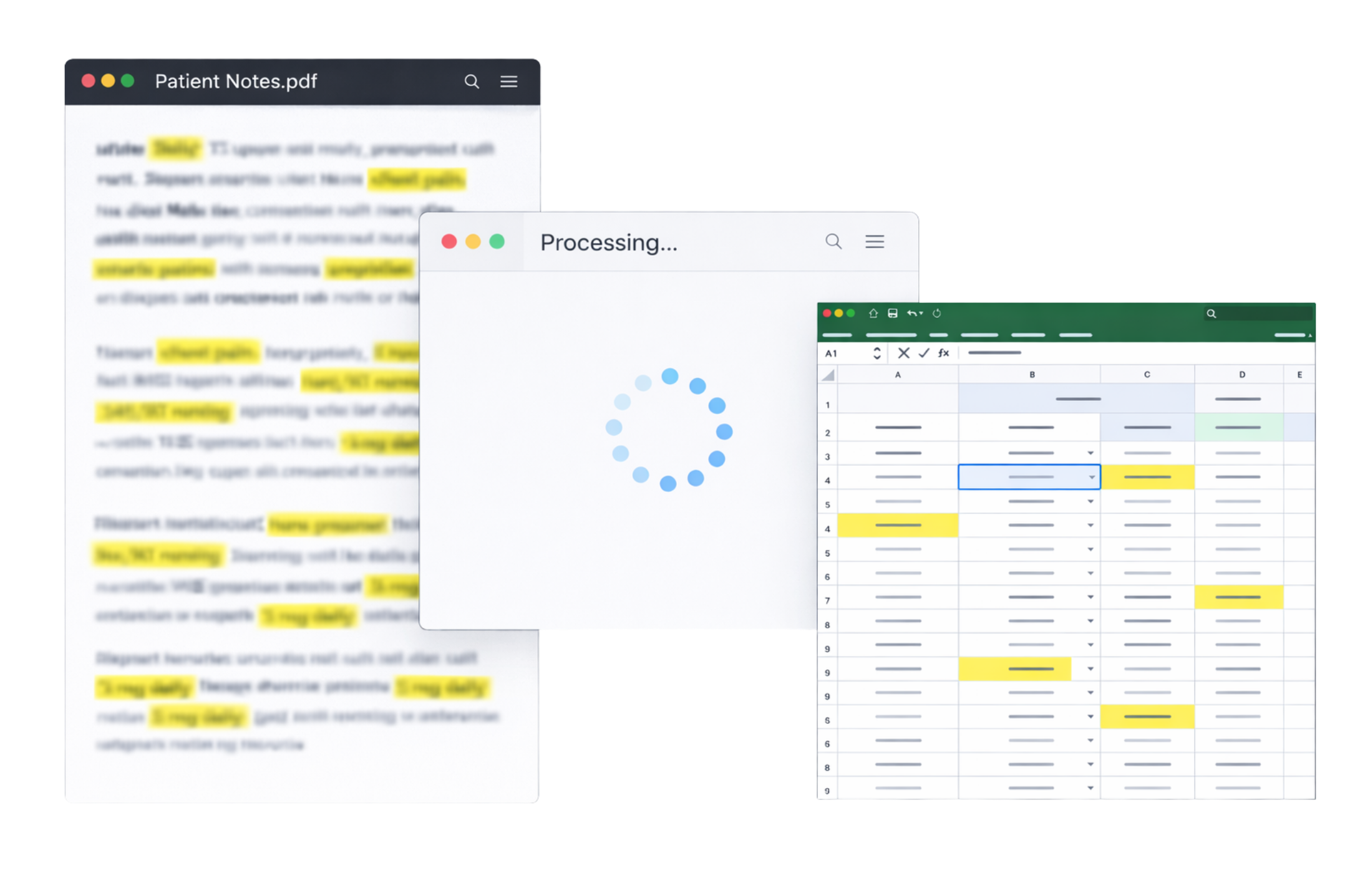
Doc2Row uses a local AI model to extract data from documents.
The extracted results are then written directly to spreadsheet rows.
No cloud. No sensitive data ever leaves your machine.
All file types supported:


Doc2Row
Custom solutions for turning documents into spreadsheets.
Built for medical and research environments, where data privacy is critical.
Doc2Row uses a local AI model to extract data from documents. The extracted results are then written directly to spreadsheet rows. No cloud. No sensitive data ever leaves your machine.
All file types supported:
Who this is for
Doc2Row is built for organizations that spend significant time and money extracting data from documents manually. It's a faster, cheaper alternative to having someone go through each document by hand.
Hours spent on manual data entry
If your team is copying information from documents into spreadsheets by hand, Doc2Row automates the process and gives you that time back.
High cost of human extraction
Hiring staff to manually review and extract data is expensive. Doc2Row does the same work at a fraction of the cost.
Doctor notes & clinical records
Medical notes are often handwritten or inconsistently formatted. Doc2Row handles the variability and pulls out the data you need.
Inconsistent document formats
When every document looks different, templates break. Doc2Row uses AI to understand context, not layout, so it works across formats.
Privacy & Local Processing
Doc2Row runs entirely on your local machine. No cloud services, no data transmission. Sensitive data never leaves your machine.
- No cloud uploads
- No data transmission
- Fully local processing
- Data stays on your disk
How it works
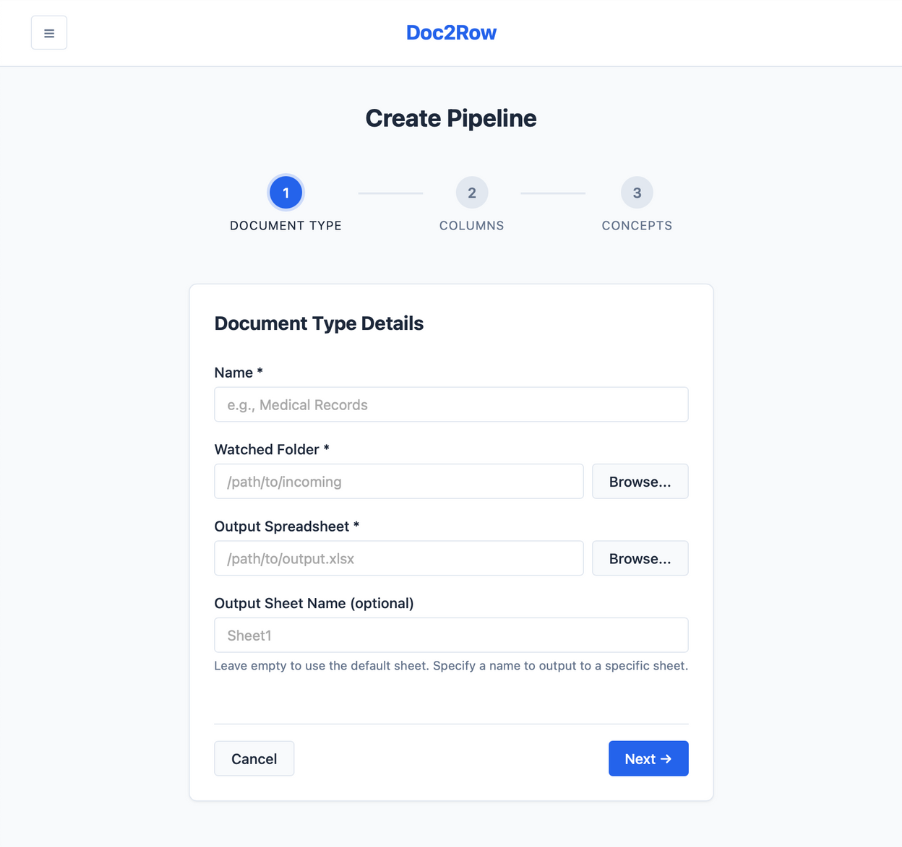
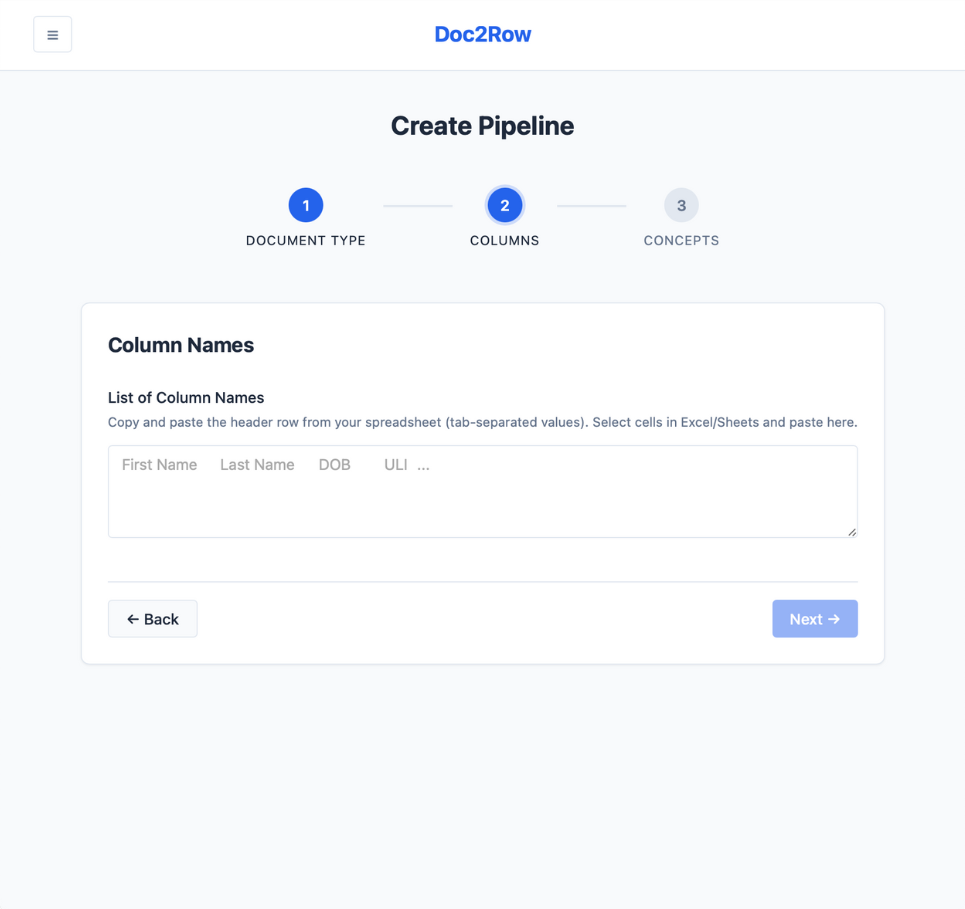
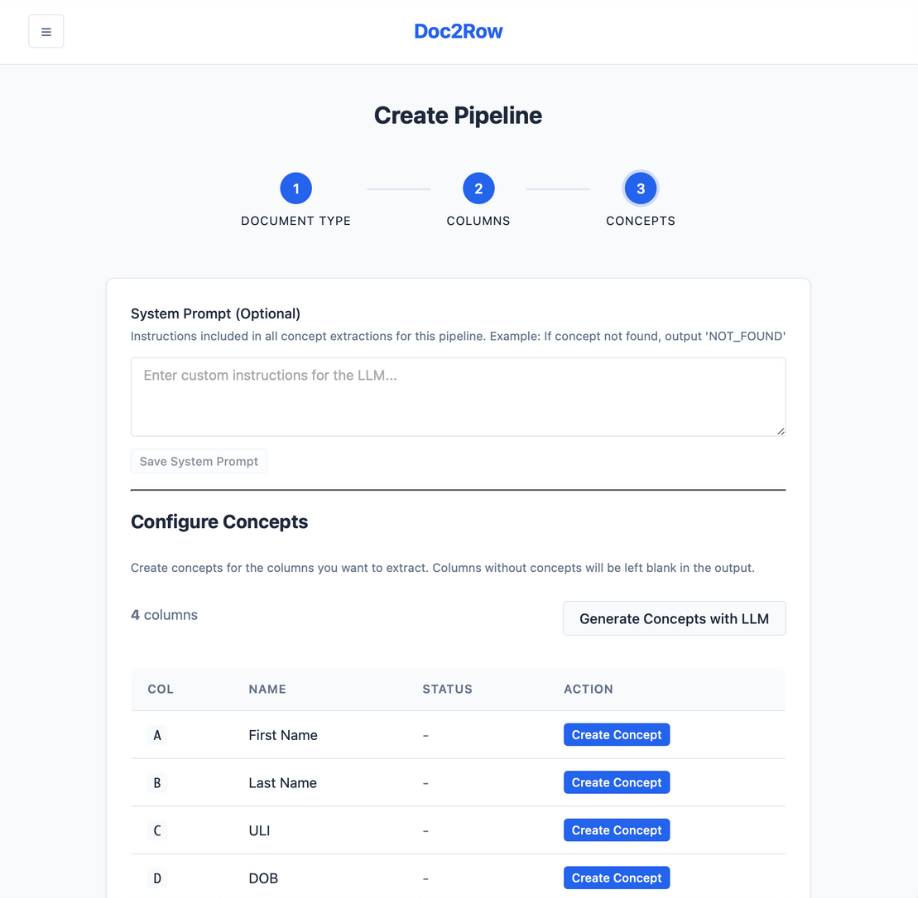
Create pipeline
Set up a new pipeline and define the information fields you want to extract from your documents.
Drop documents
Add document files to a watched folder or drag them directly into the application.
Extract fields
Local AI models identify and extract structured data from each document.
Append to spreadsheet
Extracted data is written as new rows to your specified spreadsheet workbook and sheet.
Review history
Track processed documents, view extraction logs, and audit job history.
Create pipeline
Set up a new pipeline and define the information fields you want to extract from your documents.
Drop documents
Add document files to a watched folder or drag them directly into the application.
Extract fields
Local AI models identify and extract structured data from each document.
Append to spreadsheet
Extracted data is written as new rows to your specified spreadsheet workbook and sheet.
Review history
Track processed documents, view extraction logs, and audit job history.
Simple, focused interface
No overwhelming dashboards. Just the controls you need to configure pipelines and monitor extraction jobs.
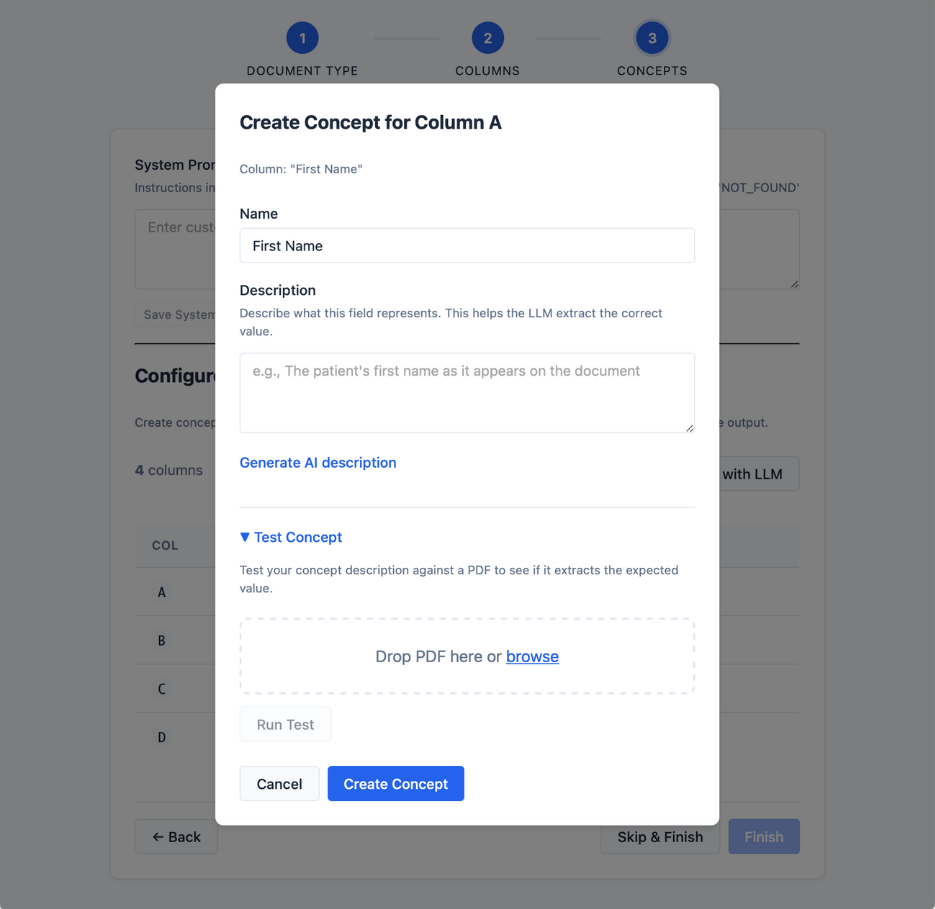
Swipe to browse
Simple licensing
Doc2Row is a desktop application with straightforward licensing. No per-document fees, no usage limits, no cloud costs.
Contact for pricing
Get in touch to discuss licensing options and try Doc2Row.
All licenses include:
- Unlimited document processing
- Unlimited pipelines
- Local LLM extraction
- Spreadsheet output
- Watched folder automation
- Full job history and logs
- No cloud, fully local processing
- Free updates for license term
Individual and team licenses available. Volume discounts for enterprise.
Frequently asked questions
Common questions about Doc2Row, privacy, and technical details.
Get in touch
Interested in trying Doc2Row? Have questions about licensing or features? We'd like to hear from you.
What to include
- • Your typical document volume
- • Types of documents you work with
- • Any specific extraction requirements
- • Whether you need a trial or demo